
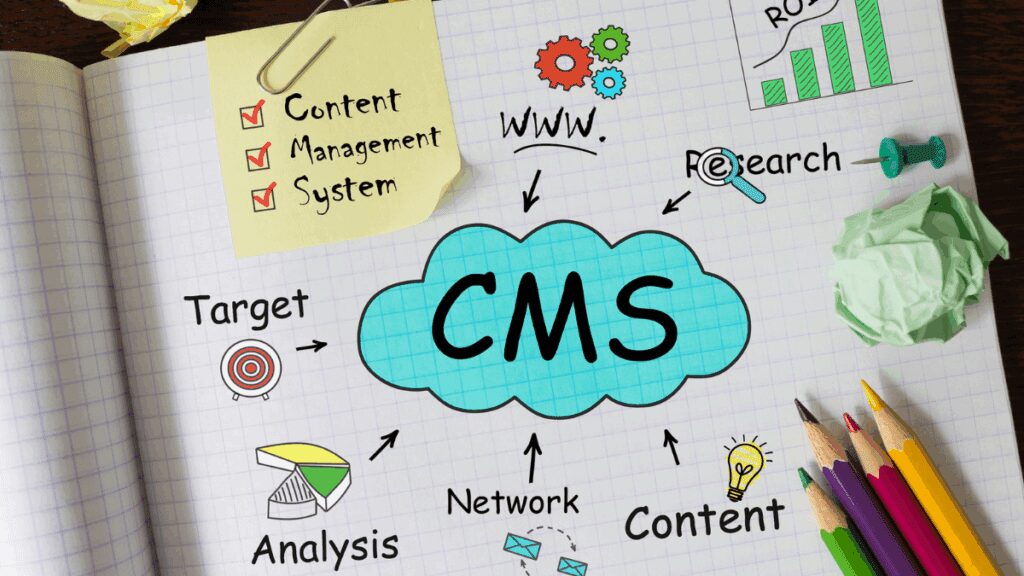
Content Management Systems: Pros and Cons for Your Website
If you only read one part of this: Content Management Systems (CMS) lets you edit your own website without calling a developer every time, and that’s genuinely worth it for most businesses. What it won’t do is turn that website into leads.
That’s a separate problem, one most businesses end up paying for with a second, third and fourth tool on top of their CMS.
Key Takeaways
- CMS solves developer dependency, not lead generation
- Real cost isn’t the CMS, it’s what gets bolted onto it
- Learning curve ranges from 2 weeks to 6+ months
- Most businesses stack five tools on top of their CMS
- The real question: one tool, or five
This post covers:
- What Is a CMS?
- How Does a CMS Actually Work?
- The Pros of a CMS
- The Cons of a CMS
- What Problems It Solves
- When CMS Makes Sense
- Red Flags to Avoid
- If Your Goal Is Leads
- Making Your Decision
- Measuring Success
- FAQ
I’ll never forget the panic in my client’s voice when she called me at 7 PM on a Friday.
“I need to update my pricing page urgently, but my web developer isn’t answering his phone!”
She was stuck.
Every tiny change required calling her developer, waiting for availability, and paying fees. That’s when I introduced her to Content Management Systems, and her entire relationship with her website changed forever.
But CMS platforms aren’t magic solutions. Let me give you the honest truth so you can make the right decision for your business.
If you’re here because you’re tired of a website that only a developer can touch, and you also want that same website to actually bring in leads, skip ahead to what MomentumX Lite does differently, or read the full breakdown first.
What Is a Content Management System (CMS)?
A Content Management System (CMS) allows you to create, edit, and manage website content without needing to write code or contact a developer every time you want to make changes.
Think of it like the difference between using Microsoft Word versus trying to write a document in pure HTML code.
| Popular CMS | Best For |
|---|---|
| WordPress | Most businesses, blogs, flexibility |
| Shopify | E-commerce stores exclusively |
| Wix/Squarespace | Small businesses wanting simplicity |
| Webflow | Businesses wanting design control without writing code |
| Drupal | Larger, complex sites with specific security or compliance needs |
| Joomla | Multilingual sites and flexible content structures |
Worth being honest about that last group. Drupal, Joomla and enterprise platforms like Adobe Experience Manager get marketed heavily to large organisations, Coca-Cola and BMW are the names you’ll see in their case studies. If you’re a service business with one site and one team, that’s not the comparison that matters to you. The comparison that matters is WordPress, Wix, Squarespace or Webflow, and which one someone with your actual technical comfort level can run without a developer on speed dial.
How Does a CMS Actually Work?
Strip away the marketing language and a CMS does three things, in this order:
- You make a change. Edit a page, update a price, add a blog post, all through a visual editor, no code involved.
- You preview and publish it. Most CMS platforms let you see exactly how the change will look before it goes live, then publish instantly or schedule it for later.
- It appears on your website automatically. No developer touches a server, no file gets manually uploaded. The CMS handles the technical side in the background.
That’s the whole mechanism. Everything else, themes, plugins, user permissions, is built around making those three steps easier and safer at scale.
The Pros of Using a Content Management System
1. Freedom from Developer Dependency
Update text, add images, create pages, and publish content without waiting for anyone.
2. Cost Effectiveness (Eventually)
After initial setup, ongoing content updates cost you time instead of money. One client was paying £150 monthly for basic website updates that they now do themselves.
3. Multiple User Access
Your team can update different sections without stepping on each other’s toes.
4. Built-in Features You’d Pay Extra For
SEO tools, contact forms, image editing, social media integration, and analytics tracking included.
5. Scheduled Publishing
Write content in advance and have it publish automatically when your audience is most active.
The Cons of Content Management Systems
1. Limited Design Customisation
You’re constrained by your theme’s design options. Want something truly unique? You’ll need custom development anyway.
2. Security Vulnerabilities
Popular Content Management Systems are attractive targets for hackers. Regular security updates and backups become essential.
3. Performance Can Suffer
Every plugin you add potentially slows down your site. That innocent plugin might add 2 seconds to your loading time.
4. Learning Curve Reality
| User Type | Time to Basic Competency |
|---|---|
| Tech-savvy owner | 2-4 weeks |
| Average business owner | 2-3 months |
| Technically challenged | 6+ months or never comfortable |
5. Hidden Ongoing Costs
That “free” WordPress site can easily cost £100-200 monthly when properly maintained with hosting, security, backups, and premium plugins.
Here’s the part most CMS comparisons skip: that £100-200 a month is just to keep a website running. It says nothing about whether the website actually brings you customers.
A CMS solves the editing problem. It does not solve the lead problem. Those are two different tools most businesses end up paying for separately, a CMS for content, then a CRM, then a booking tool, then something to actually follow up on the enquiry.
MomentumX Lite is built to be all of that in one place instead of five separate monthly bills.
What Problems Does a CMS Actually Solve?
Pulling the pros above together, here’s the real-world problem each one is actually fixing.
“I need my developer for every tiny change” problem
Solved directly. This is a CMS’s core job, and it does it well.
“My team keeps overwriting each other’s work” problem
Solved through user permissions and role-based access, so your marketing person and your admin staff can both update the site without conflicts.
“I’m paying for five separate tools” problem
Partially solved. A good CMS bundles in basic SEO tools, contact forms and analytics, so you’re not buying those separately. It does not solve the lead generation stack, that’s still a separate problem, covered further down.
“Our branding looks different on every page” problem
Solved through templates. Once your design is set, every new page inherits it automatically.
“Our website can’t keep up as we grow” problem
Mostly solved. Most CMS platforms scale reasonably well through plugins and add-ons, though very large or highly custom sites eventually hit the platform’s ceiling, this is where the Cons above about design constraints start to bite.
When Content Management Systems Makes Sense vs When It Doesn’t
Choose Content Management Systems If:
- You need to update content regularly
- Multiple team members need website access
- You want to reduce dependence on developers
- You plan to do content marketing
Consider Custom Development If:
- You need unique functionality that doesn’t exist
- Performance and speed are absolutely critical
- You have specific security requirements
- Your design needs are highly specialised
Red Flags: Avoiding Bad Content Management Systems
Warning Signs of Problematic Providers
- Promises of “instant” results or “guaranteed” rankings
- Pressure to sign long-term contracts immediately
- Vague pricing with hidden costs revealed later
- No examples of previous work
For Detailed Guidance on Avoiding Questionable Providers
If Your Real Goal Is Leads, Not Just a CMS
Step back and ask why you actually wanted a CMS in the first place. It’s probably not “I enjoy editing websites.” It’s more likely: you’re tired of paying a developer for small changes, and you want a site that actually works for your business.
Here’s the honest gap in everything above.
A CMS gives you control over your content.
It says nothing about what happens when a visitor reads that content and wants to become a customer. Most businesses solve that by bolting on more tools, a CRM to track the lead, a booking system, an email tool, a review platform, each with its own login and its own monthly fee.
MomentumX Lite is a CMS and a CRM together, plus the parts a CMS alone never covers: an AI Employee that answers enquiries the moment they land, automated follow-up so leads don’t go cold, booking that runs itself, and review collection that builds your reputation without you chasing it.
You get the editing freedom that started this whole search, and the lead generation a plain CMS was never built to do.
Don’t just take our word for it.
The Au Pair Club wrote an honest, independent review of MomentumX Lite after three years of actually running on it, worth reading if you want a client’s perspective rather than ours.
If you’d rather talk it through than read another section, book a free lead generation assessment and we’ll look at what your current website is actually costing you in missed leads, not just hosting fees.
And if your business needs go beyond the website itself, ongoing marketing to actually drive traffic to it, our full lead generation packages cover that properly.
Making Your Content Management Systems Decision
Step 1: Assess Honestly
- How often do you need to update content?
- What’s your technical comfort level?
- What’s your realistic budget for setup and maintenance?
Step 2: Start Simple
Choose a platform that matches your current abilities. You can always upgrade later as your skills develop.
Step 3: Plan for Support
Whether DIY or professional setup, ensure you have access to help when things go wrong.
How to Measure Success of Content Management Systems
Track whether your Content Management System is working by monitoring time saved on updates, content publishing frequency, and website performance.
For comprehensive guidance on tracking your website’s performance: Website Analytics Jargon Explained.
Frequently Asked Questions
Do I still need a developer if I use a Content Management Systems?
Rarely for day-to-day changes, text, images, new pages. You’ll still want one for custom functionality, major design changes, or fixing something that breaks at a technical level.
What’s the difference between Content Management Systems and a website builder?
A website builder like Wix bundles hosting, design and editing into one closed system. A CMS like WordPress is more open, you can usually choose your own hosting, themes and plugins, which gives more flexibility but also more to manage.
Is WordPress really free?
The software is. Running it properly isn’t. Hosting, a domain, security, backups and any premium plugins or themes typically add up to £100-200 a month, covered in the Hidden Ongoing Costs section above.
How long does it actually take to learn a CMS?
Anywhere from 2-4 weeks for a tech-savvy owner to 6+ months for someone who finds new software genuinely difficult. Most average business owners land somewhere around 2-3 months to basic competency.
Does Content Management Systems help my website generate leads?
Not on its own. A CMS controls what your website says. It has no built-in way to qualify a visitor, follow up if they go quiet, or book them in. That’s a separate system, covered in the section above on why a CMS alone isn’t the same as lead generation.
Final Thoughts on Content Management Systems
A Content Management System is only as good as the time and effort you put into learning and maintaining it. Don’t let the fear of making the wrong choice paralyse you.
The question isn’t whether you should use a Content Management System.
The question is which one matches your business needs, technical comfort level, and long-term goals, and whether it’s the only tool you’ll need, or the first of five.
Choose the Content Management System approach that empowers you to keep your content fresh and valuable to your customers. Whether you go DIY or hire professionals, the important thing is having a website you can actually manage when your business needs it, and one that turns the people who read it into customers.
Explore MomentumX Lite or book a free assessment to see what that looks like for your business.