
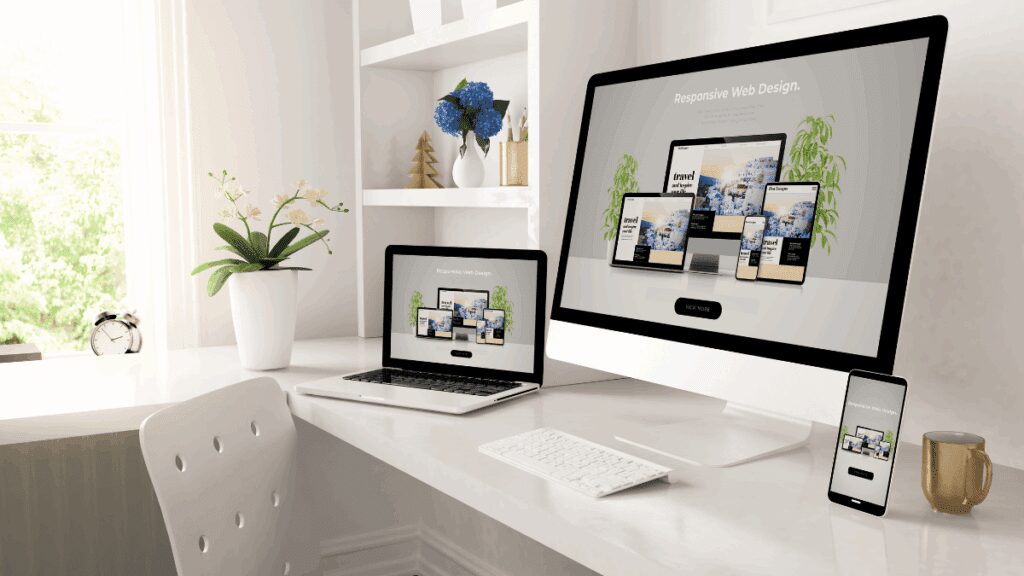
Liquid Design: Why Your Website Needs to Adapt to Every Screen
Welcome to the reality of Liquid Design.
Picture this:
You’ve spent weeks perfecting your website design.
It looks flawless on your MacBook.
Then your client opens it on their phone, and half the content disappears off the screen. Your colleague views it on their 4K monitor, and there’s awkward white space everywhere.
With over 2.7 billion different device and screen combinations accessing the internet, designing a website that looks identical everywhere is impossible. But there’s a solution that’s been quietly revolutionising web design for years.
It’s called Liquid Design, and it might just save your sanity.
But there’s another important distinction business owners need to understand.
A website and a booking/quote page have completely different jobs.
Your website is there to educate your audience, establish credibility, showcase your work and answer questions.
Your booking/quote page has one job:
Get the visitor to take the next step and become a lead.
Is Your Website Educating People But Failing to Generate Leads?
Your website can look incredible and still make it unnecessarily difficult for potential customers to enquire.
We build lead generation systems that connect your traffic to a dedicated booking/quote page, AI qualification, follow-up and booking.
What Is Liquid Design? (Think Water, Not Concrete)
Liquid Design is exactly what it sounds like, web design that flows like water.
Just as water adapts to fit any container perfectly, Liquid Design allows your website to expand, contract, and reshape itself to fit any screen size automatically.
Traditional fixed design: Your website has rigid dimensions
Liquid Design: Your website adapts fluidly to available space
The magic happens in the code:
Instead of setting fixed pixel widths (like 1200px), designers use percentage based measurements that respond to the viewer’s screen size.
Result:
Your website looks intentional and polished whether someone views it on a smartwatch or a cinema display.
That’s the technical side of Liquid Design.
But if you’re a business owner, there’s another question you should be asking:
Does your website simply look good, or does it actually move people towards becoming customers?
Why Liquid Design Matters More
The screen size explosion is real:
📱 Mobile phones: 360px – 414px width
💻 Laptops: 1366px – 1920px width
🖥️ Desktop monitors: 1920px – 3840px width
⌚ Smart watches: 272px – 312px width
📺 Smart TVs: 3840px+ width
Traditional approach: Design for one screen size, hope for the best on others
Liquid Design approach: Design once, adapt across different screen sizes
A properly implemented Liquid Design gives your audience a more consistent experience regardless of how they find you.
And that’s important because your audience isn’t necessarily going to discover your business from a desktop computer.
They might find you on Google from their phone.
They might click an advert while sitting on the sofa.
They might visit your website from a tablet after seeing your social media post.
Your Liquid Design needs to work wherever the prospect happens to be.
How Liquid Design Actually Works
The Technical Foundation
Instead of rigid measurements, Liquid Design uses flexible units:
Fixed design example:
width: 1200px; /* Always exactly 1200 pixels wide */
Liquid Design example:
width: 80%; /* Always 80% of available screen width */
Real-World Comparison
| Screen Size | Fixed Design (1200px) | Liquid Design (80%) |
|---|---|---|
| Mobile (375px) | Content cuts off, horizontal scrolling required | Perfectly fits: 300px width |
| Laptop (1440px) | Lots of empty space on sides | Perfectly fits: 1152px width |
| Large Monitor (2560px) | Massive empty space, looks broken | Perfectly fits: 2048px width |
The result: Every visitor gets an optimal viewing experience regardless of their device.
That’s exactly what good Liquid Design should achieve: flexibility without sacrificing usability.
The Advantages of Liquid Design
1. Universal Compatibility
Your website automatically fits every screen size without additional work or separate mobile versions.
2. Eliminates Horizontal Scrolling
Nobody should scroll sideways just to read your content, it’s one of the most irritating things web users encounter.
3. Accessibility Champion
People with visual impairments can resize text and content without breaking your layout.
4. Future Proof Design
New devices with different screen sizes? Your Liquid Design already supports them.
5. Better Space Utilisation
No wasted empty space on large screens, no cut off content on small screens.
6. SEO Benefits
Mobile-friendly and responsive websites can provide a better experience for visitors using mobile devices.
Liquid Design Is Important. But It Isn’t Your Lead Generation Strategy.
This is where many businesses get confused.
They invest heavily in creating a beautiful, responsive website and assume the website itself should do everything.
It shouldn’t.
Your website has a different job from your lead generation system.
Your website should:
- Educate your audience
- Explain your services
- Showcase your expertise
- Build credibility
- Answer common questions
- Show your work
- Help visitors understand why your business is different
Your booking/quote page should have a much narrower purpose.
It should make it easy for an interested visitor to reach out and become a lead.
That’s why we don’t believe every Google Ad should simply send someone to a huge website with ten different navigation options.
When someone is actively looking for your service, you want to give them a clear next step.
Search → Booking/Quote Page → Enquiry → Qualification → Booking.
Your Website Educates. Your Booking/Quote Page Converts.
A beautiful Liquid Design website is important. But if you’re paying for traffic, you need somewhere designed specifically to turn that traffic into enquiries.
That’s where our lead generation systems come in.
The Challenges of Liquid Design (And How to Handle Them)
Challenge 1: Loss of Precise Control
Problem: You can’t control exactly how your design appears on every screen
Solution: Embrace flexibility as a feature, not a limitation
Challenge 2: Complex Development
Problem: Liquid Design requires more sophisticated CSS and testing
Solution: Work with experienced developers who understand responsive frameworks
Challenge 3: Image Scaling Issues
Problem: Images may stretch awkwardly or lose quality
Solution: Use responsive image techniques and scalable vector graphics (SVG)
Challenge 4: Typography Challenges
Problem: Text lines can become too long on wide screens or too cramped on small ones
Solution: Implement responsive typography with optimal line length constraints
Challenge 5: Print Layout Problems
Problem: Liquid layouts don’t translate well to printed pages
Solution: Create separate print stylesheets for optimal paper presentation
When Liquid Design Works Best
1/ Perfect for Content Heavy Websites
Why: Text and content naturally reflow and remain readable at any size.
Examples:
- Blog and news websites
- Corporate information sites
- E-learning platforms
- Documentation sites
2/ Ideal for Business Websites
Why: Professional appearance across all devices builds trust and credibility.
For service businesses, however, Liquid Design is only part of the equation.
You also need to think about what happens after someone lands on your website.
3/ Essential for Mobile First Businesses
Why: Growing mobile traffic demands seamless mobile experiences.
And when that mobile visitor is actively searching for your service, the path from your website to a booking/quote page needs to be just as seamless.
When to Be Cautious with Liquid Design
Graphic Intensive Websites
Challenge: Complex graphics may not scale elegantly
Alternative: Hybrid approach with responsive images and fixed graphic elements
Pixel Perfect Brand Requirements
Challenge: Some brands require exact visual consistency
Alternative: Combine Liquid Design principles with strategic fixed elements
Liquid vs Fixed Design: The Ultimate Showdown
| Aspect | Liquid Design | Fixed Design |
|---|---|---|
| Screen Compatibility | Works on all devices automatically | Requires separate mobile version |
| Development Time | More complex initially | Simpler to create |
| User Experience | Consistent across all devices | Optimal on target screen only |
| Maintenance | Single codebase to maintain | Multiple versions to update |
| SEO Performance | Google friendly responsive design | May be penalised for poor mobile experience |
| Future Proofing | Automatically supports new devices | Requires updates for new screen sizes |
Liquid Design is a strong foundation for modern websites.
But a strong foundation isn’t the same thing as a complete customer acquisition system.
Best Practices for Liquid Design Success
1. Master the Art of White Space
Strategic white space improves readability and prevents cluttered layouts on large screens. Understanding the importance of white space is crucial for effective Liquid Design.
2. Implement Responsive Typography
Technique: Use relative units (em, rem) instead of fixed pixels
Benefit: Text scales appropriately with screen size
3. Create Flexible Grid Systems
Approach: Use CSS Grid or Flexbox for layout structure
Result: Elements automatically rearrange for optimal viewing
4. Optimise Images for All Screens
Method: Implement responsive image techniques
Tools: srcset attributes, picture elements, and CSS object-fit
5. Test Across Multiple Devices
Strategy: Regular testing on various screen sizes and orientations
Tools: Browser developer tools, device testing labs
Common Liquid Design Mistakes (And How to Avoid Them)
Mistake 1: Ignoring Content Priority
Problem: Important content gets pushed off-screen on smaller devices
Solution: Prioritise content hierarchy in mobile-first design approach
Mistake 2: Neglecting Touch Interactions
Problem: Buttons and links too small for finger navigation
Solution: Ensure interactive elements meet minimum touch target sizes (44px)
Mistake 3: Over-Relying on Horizontal Space
Problem: Design breaks when horizontal space is limited
Solution: Design vertically-first, expand horizontally as space allows
Mistake 4: Inconsistent Spacing Systems
Problem: Elements appear cramped or overly spaced on different screens
Solution: Implement consistent spacing units that scale proportionally
The Technology Behind Liquid Design
CSS Frameworks That Make It Easier
- Bootstrap: Popular responsive framework with pre-built components
- Foundation: Professional responsive front-end framework
- CSS Grid: Native CSS layout system for complex responsive designs
- Flexbox: CSS layout method for flexible component arrangements
Essential CSS Techniques
/* Flexible containers */
.container {
  width: 90%;
  max-width: 1200px;
  margin: 0 auto;
}

/* Responsive images */
img {
  max-width: 100%;
  height: auto;
}

/* Flexible typography */
h1 {
  font-size: clamp(1.5rem, 4vw, 3rem);
}
Liquid Design in Action: Real Examples
E-commerce Success
Challenge: Product catalogues need to work on mobile and desktop
Solution: Flexible grid systems that show 1 product per row on mobile, 4 on desktop
Result: Improved conversion rates across all devices
Corporate Website Transformation
Challenge: Professional services firm looked outdated on mobile
Solution: Liquid redesign with responsive navigation and flexible content blocks
Result: 60% increase in mobile inquiries
Blog Platform Optimisation
Challenge: Long-form content difficult to read on various screen sizes
Solution: Responsive typography and flexible content width with optimal line lengths
Result: 40% increase in average time on page
The Future of Liquid Design
Emerging Trends
- Container Queries: CSS that responds to element size, not just screen size
- Intrinsic Web Design: Layouts that work without media queries
- Variable Fonts: Typography that scales smoothly across all sizes
New Device Considerations
- Foldable screens: Designs that adapt to changing screen dimensions
- AR/VR browsers: Layouts that work in three-dimensional spaces
- Voice-first devices: Audio-friendly content structure
Making the Switch: Your Liquid Design Action Plan
Phase 1: Assessment (Week 1)
✅ Audit your current website’s mobile performance
✅ Identify problem areas where content breaks or looks poor
✅ Analyse your audience’s device usage patterns
✅ Review competitor websites for responsive design quality
Phase 2: Planning (Week 2)
✅ Create responsive design mockups for key screen sizes
✅ Plan content hierarchy for mobile-first approach
✅ Identify which elements need fixed vs liquid behaviour
✅ Choose appropriate CSS framework or custom approach
Phase 3: Development (Weeks 3-6)
✅ Implement flexible grid system
✅ Convert fixed elements to responsive alternatives
✅ Optimise images for multiple screen densities
✅ Test thoroughly across various devices and browsers
Phase 4: Optimisation (Ongoing)
✅ Monitor user behaviour across different devices
✅ Continuously test and refine responsive breakpoints
✅ Update design patterns based on new device trends
✅ Maintain performance optimisation for all screen sizes
When to Choose Professional Help
Liquid Design requires expertise in:
- Responsive CSS frameworks and techniques
- Cross-browser compatibility testing
- Performance optimisation for various devices
- User experience design across screen sizes
Consider professional development when:
- Your business depends on mobile traffic
- Current website performs poorly on different devices
- You need complex interactive elements that work everywhere
- Time-to-market is crucial for business success
Following proven design principles ensures your Liquid Design not only functions well but also delivers exceptional user experiences.
Already Have a Website But Not Enough Enquiries?
You may not need to rebuild your entire website.
Your website can educate and establish trust, while a dedicated booking/quote page gives interested visitors a much clearer path to becoming leads.
MomentumX Lite can then help respond to, qualify, book and follow up with the leads you’re already generating.
Liquid Design Isn’t Optional Anymore
Your website visitors use dozens of different devices. Your design needs to work flawlessly on all of them.
Liquid Design isn’t just a technical preference, it’s a business necessity. In a world where a significant share of web traffic comes from mobile devices, a website that doesn’t adapt can create unnecessary friction for visitors.
But there’s an important distinction.
Making your website responsive doesn’t automatically make it a lead generation system.
Your website can educate.
Your website can build trust.
Your website can showcase your work.
Your website can answer questions.
But when someone is ready to take action, they shouldn’t have to navigate through your entire website trying to figure out what to do next.
That’s what your booking/quote page is for.
A focused booking/quote page removes distractions and gives the prospect one clear next step: enquire, request a quote or book a consultation.
Your Website Educates. Your Booking/Quote Page Generates Leads.
Stop expecting your website to do every job.
Use your Liquid Design website to educate your audience and establish credibility.
Then use a dedicated booking/quote page to turn interested visitors into enquiries.
MomentumX connects the two with Google Ads, AI qualification, follow-up and booking.
MomentumX Lite helps you convert the leads you’re already receiving without adding paid advertising.
One system. One team. One clear path from traffic to lead.
FAQ: Liquid Website Design
Q: Is Liquid Design the same as responsive design?
A: Liquid Design is a key component of responsive design. Responsive design includes liquid layouts, flexible images, and media queries to create comprehensive multi-device experiences.
Q: Will Liquid Design slow down my website?
A: When properly implemented, Liquid Design shouldn’t significantly impact loading speed. However, it requires optimised images and efficient CSS to maintain performance across all devices.
Q: Can I combine liquid and fixed design elements?
A: Yes. Hybrid approaches work well. You might use liquid layouts for content areas while keeping certain elements, such as logos or buttons, at fixed sizes for consistency.
Q: How much does it cost to convert a fixed design to liquid?
A: Conversion costs vary based on website complexity, but typically range from £2,000-£8,000 for business websites. The investment usually pays for itself through improved mobile conversions.
Q: Do I need a separate mobile website if I use Liquid Design?
A: No. Liquid Design eliminates the need for separate mobile websites. One responsive website adapts to different devices, reducing maintenance costs and improving the user experience.
Q: Should I send Google Ads to my website?
A: Not necessarily.
Your website is useful for educating potential customers, establishing credibility and giving people a deeper understanding of your business.
But when someone is actively searching for your service and is ready to enquire, a dedicated booking/quote page can give them a much more focused path to becoming a lead.
That’s why MomentumX connects paid traffic to a dedicated booking/quote page rather than relying on a general website to do every job.
Q: What if I’m already getting enquiries?
A: That’s where MomentumX Lite can make sense.
Instead of immediately spending more money generating new traffic, MomentumX Lite helps your business respond to, qualify, book and follow up with the enquiries you’re already receiving.
Conclusion: Flow Like Water, Convert Like a System
Liquid Design represents the evolution of web design from static documents to dynamic, adaptive experiences.
Like water finding its way through any landscape, Liquid Design allows your website to adapt to the visitor’s screen and create a better experience across devices.
But modern lead generation requires more than a responsive website.
Your website’s job is to educate.
Your booking/quote page’s job is to convert interest into an enquiry.
Your lead generation system’s job is to make sure that enquiry doesn’t disappear.
That’s the thinking behind MomentumX.
Google Ads brings high-intent traffic.
The booking/quote page gives that traffic a focused path to enquire.
AI qualifies the lead.
Your digital front desk responds.
Automated follow-up keeps the conversation moving.
And your booking system turns the opportunity into a scheduled conversation.
If you’re already getting enquiries, MomentumX Lite focuses on what happens after the lead arrives, helping you respond, qualify, book and follow up without adding another person to your team.
Don’t just build a website that looks good on every device.
Build a system that gives the right people a reason to take the next step.
Ready To Turn More Website Visitors Into Leads?
Your Liquid Design website can educate your audience.
Your booking/quote page can turn interested visitors into enquiries.
And MomentumX can connect the entire journey from Google search to booked consultation.
Already getting enquiries? MomentumX Lite helps you convert more of the leads you’re already receiving.
Stop treating your website as your entire marketing system.
Build the system behind it.
Optimus Agency specialises in lead generation systems for service businesses. Since 2012, we’ve helped businesses build systems designed to generate, qualify and manage leads across South Africa, the UK and beyond through MomentumX and MomentumX Lite.