

Make vs n8n: The Ultimate Automation Showdown
Choosing between make vs n8n isn’t just about price or UI. It’s about scalability, control, and how future-ready your workflows are.
Both Make (formerly Integromat) and n8n have matured into serious automation powerhouses. But they come from two very different philosophies: Make focuses on polished, visual simplicity, while n8n empowers you with open-source flexibility and developer-grade control.
If you’re deciding between make vs n8n, this deep comparison goes beyond surface-level features, no price tables, just real performance, scalability, and usability insights that stay relevant as both platforms evolve.
TL;DR: Make vs N8N Quick Comparison
| Feature | Make | n8n |
|---|---|---|
| Ease of Use | Intuitive, drag-and-drop builder | Slightly steeper learning curve |
| Hosting | Fully cloud-based | Self-hosted or cloud |
| Flexibility | Best for plug-and-play workflows | Unlimited flexibility with custom logic |
| Scalability | Excellent for startups and SMEs | Ideal for technical teams and enterprises |
| AI & Agents | Limited to predefined AI modules | Native and extendable via OpenAI, LangChain, etc. |
| Data Ownership | Vendor-managed | Full control (self-host) |
| Community & Ecosystem | Massive template library | Rapidly growing open-source community |
| Best For | Non-technical users, fast deployment | Developers, technical teams, AI automations |
Understanding Make vs N8N
Make is like an elegant, guided flight. It handles the turbulence for you but limits your flight path.
n8n is a cockpit: more controls, more power, but you’re the pilot.
⚡️ Make is built for speed and simplicity.
⚙️ n8n is built for freedom and scale.
The decision comes down to one thing:
Do you want automation to feel easy today, or limitless tomorrow?
1. How Make vs n8n Works (In Plain English)
Make: Visual Automation for Everyone
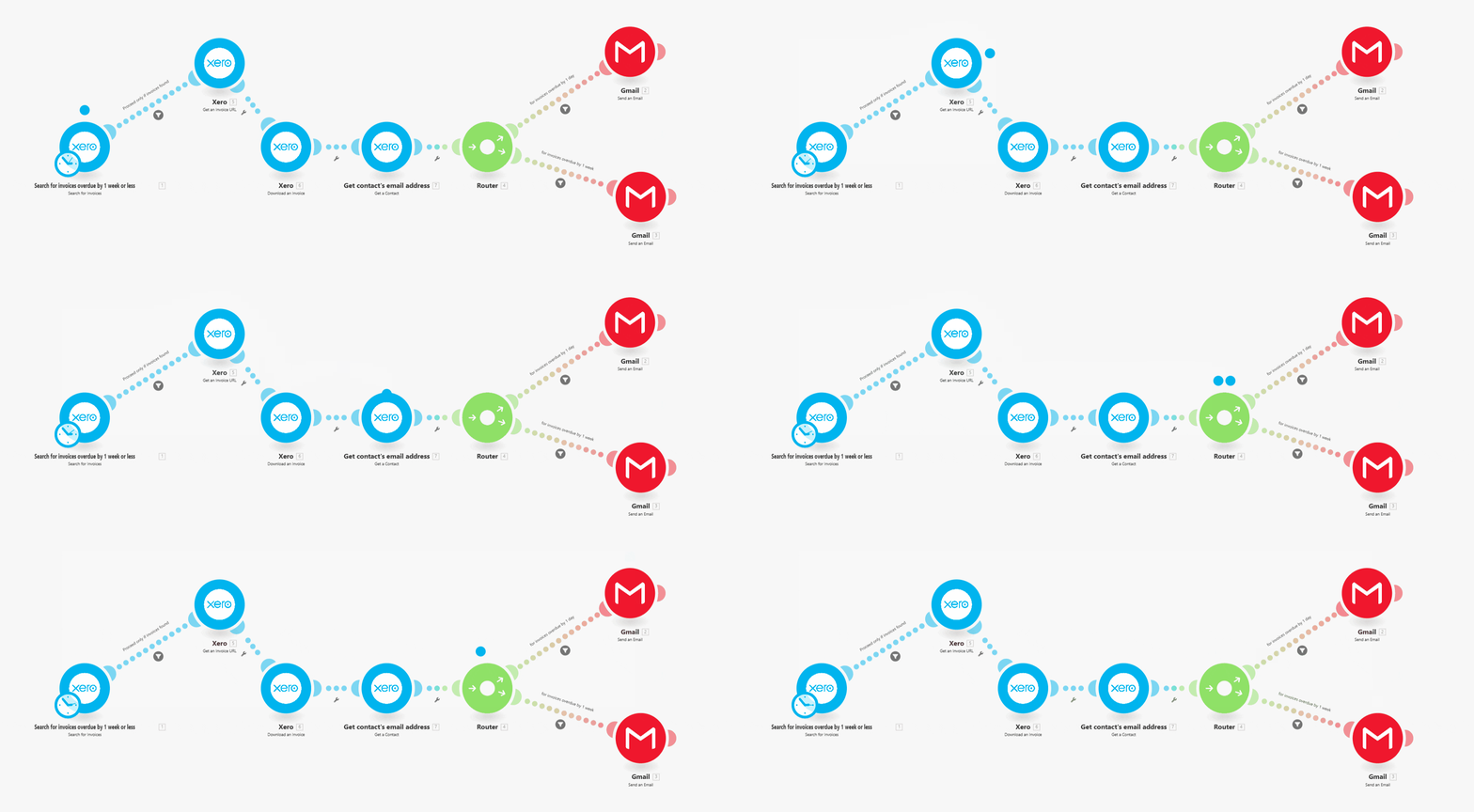
Make connects apps with a slick visual builder. You drag modules onto a canvas, connect them, and watch data move between tools in real time.
It’s a dream for marketers and operations teams: everything’s point-and-click, and the platform handles authentication, rate limits, and scheduling for you.
n8n: Open-Source Automation for Builders
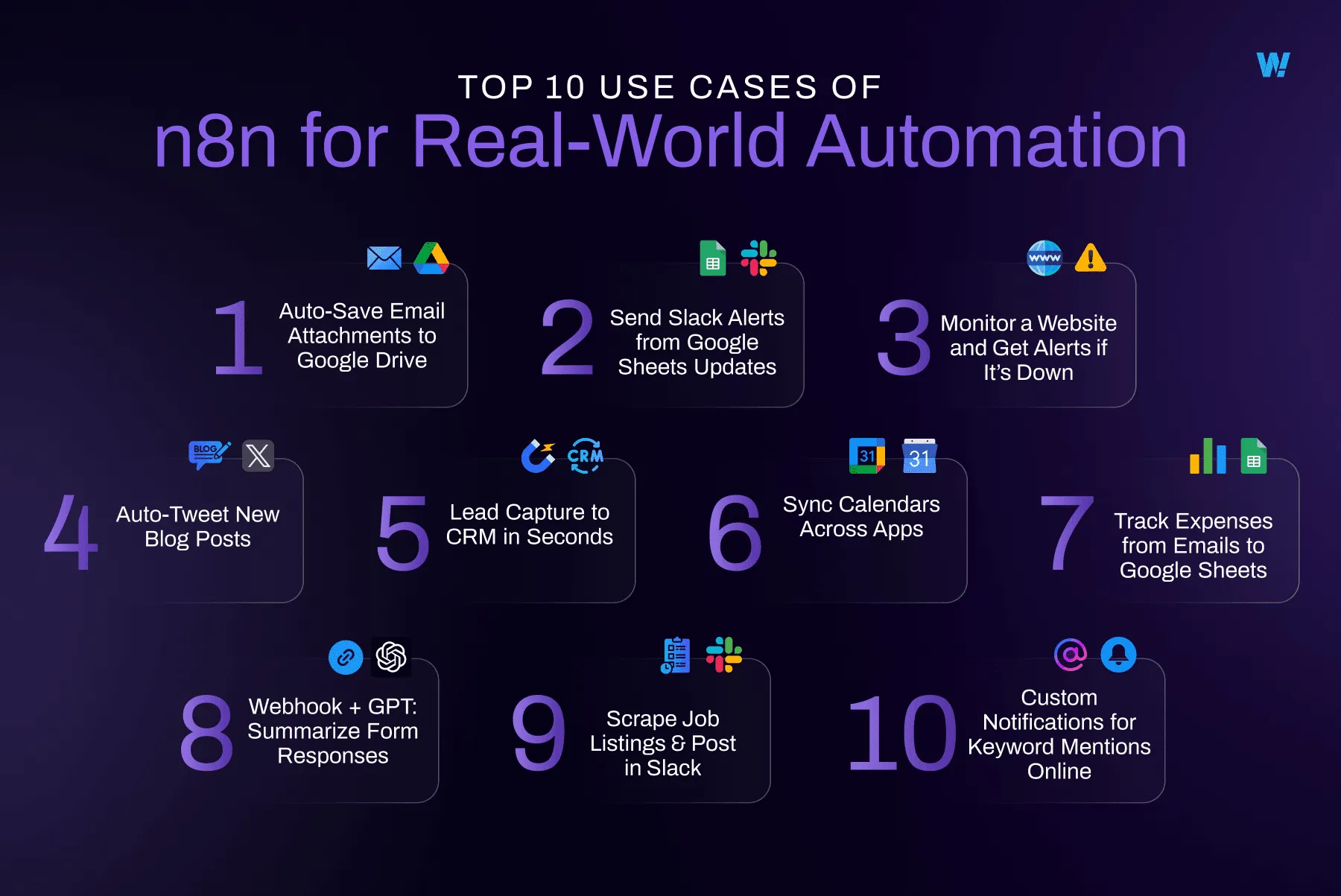
n8n looks simpler but works deeper. Each step (node) can include logic, code, and API calls.
You can self-host or use their managed cloud, giving you control over where data lives.
It’s perfect for developers or anyone comfortable with JSON, APIs, and conditions.

2. Real-World Examples: Make vs n8n
Let’s build a common workflow:
Goal: Every time someone fills out a form, this is what is going to happen → we will add them to CRM → alert the team in Slack → back up data to Google Sheets.
This is how you would do that in Make:
-
Choose a Google Form trigger.
-
Add a CRM module (e.g., HubSpot).
-
Add a Slack message module.
-
Append data to Google Sheets.
Setup: 10 minutes
Technical skill: Beginner
Limitation: Hard to add complex conditions or loops.
In n8n
-
Create a Webhook trigger.
-
Add HTTP request node to CRM.
-
Send Slack message.
-
Write data to Sheets with transformation logic.
-
Add conditional branches for leads vs existing customers.
Setup: 30–45 minutes
Technical skill: Moderate
Result: Fully customisable, API-native automation that scales indefinitely.
3. Cost Philosophy: Make vs N8N (Without Price Tables)
Make charges for every action inside a workflow. More steps or data = higher usage.
n8n charges for each workflow execution: one full run, no matter how many steps.
In practice:
-
Simple workflows = Make is cheaper.
-
Complex, high-volume workflows = n8n is far more predictable.
The difference grows as your business scales.
4. Integration Ecosystem: Make vs N8N
| Aspect | Make | n8n |
|---|---|---|
| Native Integrations | Thousands (major SaaS tools covered) | Hundreds, but extensible |
| Custom API Access | Limited HTTP modules | Full API support and custom nodes |
| Templates | Vast pre-built library | Fewer templates, more flexibility |
| Updates | Frequent SaaS additions | Rapid open-source contributions |
Verdict:
Use Make if your stack is mainstream (Google, Slack, Notion, HubSpot).
Use n8n if your stack is mixed, niche, or internal-API heavy.
5. Scalability & Control
Make excels in simplicity but hits limits with complex branching, error handling, or data volumes.
n8n was designed for scale: logic flows, bulk data, and advanced error recovery.
If your team runs more than a handful of automations, n8n’s control and self-hosting options quickly pay off.
6. AI and Agents: Where n8n Pulls Ahead
n8n supports:
-
GPT, Claude, Gemini, and open-source LLMs
-
RAG (Retrieval-Augmented Generation) systems
-
Custom AI pipelines using LangChain or LlamaIndex
-
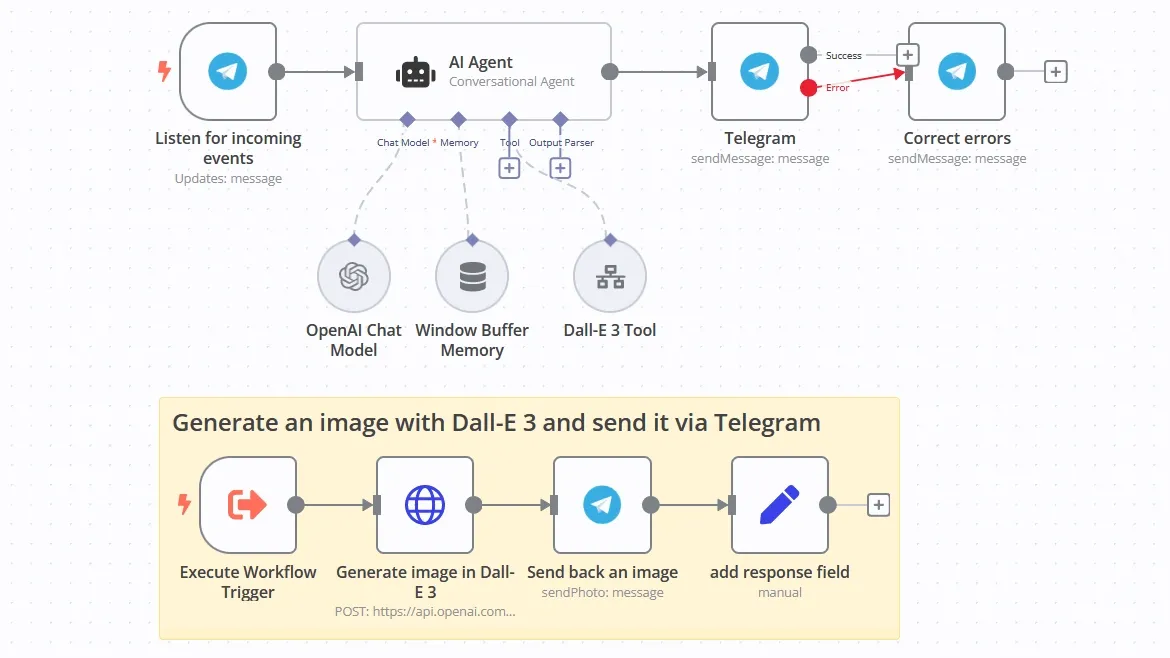
Logic-driven AI agents that act autonomously
Example 1: AI Agent Workflows in n8n
Example 2: AI Agent Workflows in n8n

Make can integrate with AI services too, but mostly through pre-built connectors which are ideal for simple prompts, not for agent orchestration.
If AI is part of your roadmap, n8n is the clear long-term choice.
7. Hosting, Security & Compliance
| Area | Make | n8n |
|---|---|---|
| Hosting | Cloud-only | Cloud or self-host |
| Data Sovereignty | Vendor-managed | You control where data lives |
| Compliance | GDPR, SOC2 | Depends on your setup |
| Ideal For | Teams comfortable with SaaS | Regulated industries or privacy-first businesses |
If you handle sensitive data and work in sectors like finance, healthcare, education, self-hosted n8n gives you full ownership and compliance control.
8. Error Handling & Debugging
-
Make: Easy error visuals, guided recovery, perfect for beginners.
-
n8n: Detailed execution logs, conditional retries, and custom failure branches.
In production-grade environments, n8n’s debugging tools are invaluable.
9. Community, Support & Learning
Make: Big commercial community, template library, decent documentation.
n8n: Open-source community, GitHub contributions, Discord support, rich documentation for developers.
Developers prefer n8n because they can learn, extend, and even contribute.
10. When to Choose Each Platform: Make vs n8n
Choose Make if you:
-
Need results fast with zero setup.
-
Have a non-technical team.
-
Rely on mainstream SaaS tools.
-
Prefer vendor-managed simplicity.
Perfect For:
Startups, marketing teams, small businesses, freelancers.
Choose n8n if you:
-
Have developers or technical founders.
-
Need cost predictability at scale.
-
Work with proprietary or complex APIs.
-
Want full data ownership.
-
Plan to build AI-driven or large-scale workflows.
Perfect For:
Agencies, SaaS companies, technical teams, enterprise automation.
Explore practical builds in our n8n automation guide.
11. Hybrid Strategy: Use Both
Many teams do both:
-
Make handles simple marketing or admin automations.
-
n8n powers backend logic, data processing, and AI.
This hybrid model balances speed and scalability.
We discuss hybrid automation strategy in our business automation guide.
12. Migration Insights
Outgrowing Make
-
Costs scale faster than expected.
-
Complex workflows hit visual limits.
-
Missing niche integrations.
Outgrowing n8n
-
Rare, but happens if technical staff leaves or a business moves fully no-code.
Migration between platforms takes time but pays off in long-term flexibility.
13. Make vs n8n FAQ
1. Should I use n8n or Make?
When it comes to Make vs n8n, you only need to consider a few things. Like, use Make if you want quick, simple automations with a visual interface and pre-built integrations. But choose n8n if you need developer-level control, scalability, or self-hosting. Many companies start with Make, then migrate to n8n as workflows grow in complexity.
2. What is the difference between n8n and Make?
Make is a cloud-based, no-code automation platform designed for non-technical users. n8n is an open-source, developer-friendly tool that allows complex, custom workflows and self-hosting. The key difference: Make prioritises ease of use, while n8n prioritises flexibility and control.
3. Is Make.com easier than n8n?
Yes. Make is easier to learn thanks to its drag-and-drop UI and pre-built modules. n8n has a steeper learning curve, but provides far more customisation for technical teams.
4. What is the difference between Zapier, Make, and n8n?
-
Zapier → Is best for ultra-simple automations and non-technical users, but expensive at scale.
-
Make → Is more advanced than Zapier, still user-friendly, great for teams using mainstream SaaS tools.
-
n8n → Is the most flexible, developer-oriented, and cost-predictable at scale; requires technical know-how.
5. Is n8n harder to learn than Make?
Slightly. Once you understand nodes and logic, n8n becomes intuitive but Make is still the faster on-ramp for beginners.
6. Which is better for non-technical users: Make or n8n?
Make is the clear choice for non-technical users. n8n is best suited for developers or technical teams.
7. Which is better for developers: Make or n8n?
n8n. It supports custom code, APIs, and self-hosting, which Make cannot match.
8. Can Make handle AI automations?
Yes, for lightweight AI tasks. For complex AI pipelines, decision-making agents, or retrieval-augmented generation (RAG), n8n is the better choice.
9. Is n8n open-source and free?
Yes. n8n’s open-source version can be self-hosted with unlimited workflows.
10. Does Make have a free plan?
Yes. It’s suitable for small automations, but limited in volume.
11. How do Make and n8n differ in pricing models?
Make charges per workflow step (credits). n8n charges per workflow execution. That’s why n8n is usually more predictable at scale.
12. Can I use Make and n8n together in one company?
Absolutely. Many businesses use Make for marketing and customer-facing automations, while running complex or sensitive workflows in n8n.
13. Which platform is better for enterprise automation?
n8n, due to its scalability, self-hosting, and data sovereignty features. Make is more suited for smaller to mid-sized teams.
14. How secure are Make and n8n?
Make secures data on its EU servers. n8n allows complete data ownership when self-hosted, making it stronger for industries with strict compliance requirements.
15. Can I migrate from Make to n8n later?
Yes. Migration involves rebuilding workflows, but is common as businesses grow.
16. What’s the future of automation, Make or n8n?
Make will continue focusing on ease-of-use and integrations, while n8n is pushing toward AI-native automation and developer-first capabilities. Many companies will adopt a hybrid strategy.
Decision Matrix: Make vs n8n Review
| Factor | Make | n8n |
|---|---|---|
| Ease of Use | ★★★★★ | ★★★ |
| Flexibility | ★★ | ★★★★★ |
| Scalability | ★★★ | ★★★★★ |
| AI Readiness | ★★ | ★★★★★ |
| Maintenance Required | Minimal | Moderate |
| Data Ownership | Cloud vendor | You control |
The Verdict on Make vs N8N
Make makes automation accessible.
n8n makes automation limitless.
If your goal is to get started fast, go with Make.
If your goal is to scale without limits, go with n8n.
Both tools can transform your business. The best one depends on your team’s technical comfort and your appetite for growth.
Make vs N8N: Which Platform Your Business Actually Needs
Both Make and n8n excel at workflow automation. Your choice depends on your technical reality, not marketing hype.
| Your Situation | Choose Make | Choose n8n |
|---|---|---|
| Team Skills | Non-technical team | Developers available |
| Budget | Low volume workflows | High volume or complex workflows |
| Time to Value | Need results today | Willing to invest setup time |
| Customisation | Pre-built integrations sufficient | Need custom solutions |
| Data Control | Cloud-managed acceptable | Self-hosting required |
| Maintenance | Want zero maintenance | Comfortable managing infrastructure |
| Growth Plan | Simple automations staying simple | Scaling to hundreds of workflows |
Make vs N8N: Our Recommendation
Start with Make if:
- You’re non-technical
- You need quick wins
- Your workflows are simple
- You use mainstream tools
- You want zero maintenance
Choose n8n if:
- You have developers
- You need cost predictability at scale
- You use custom systems
- You require data ownership
- You’re building complex workflows
The Migration Path:
Many businesses start with Make for immediate wins, then migrate to n8n as complexity grows. This is natural evolution, not failure.
Why We Prefer n8n vs Make (Our Honest Take)
At Optimus Agency, we’ve built 78 automations. Here’s why we typically recommend n8n for serious business automation:
Cost Predictability:
Execution-based pricing scales better than operation-based. Your costs grow only when workflows actually run, not when you add complexity.
Developer Freedom:
When clients need custom solutions (and they almost always do), n8n delivers. Make forces workarounds for edge cases. n8n encourages solving them properly.
Data Ownership:
Self-hosting keeps client data secure and compliant. Critical for industries with strict regulations.
Long-Term Value:
Initial setup takes longer, but the platform grows with your business. Make forces expensive migrations as you scale.
That Said:
Make absolutely works for specific use cases. Small teams needing simple automations benefit from Make’s ease of use. We’re not religious about platforms , we’re practical about results.
Make vs n8n Conclusion: The Choice That Actually Matters
The Make vs n8n debate isn’t about which platform is objectively “better.” It’s about which platform fits your business reality right now, and where your business is heading tomorrow.
After analysing hundreds of automation implementations across different industries, the pattern becomes clear: the Make vs n8n decision fundamentally comes down to your team’s technical capabilities and your growth trajectory.
Make wins on:
- User-friendliness
- Quick time to value
- Integration breadth
- Zero maintenance
n8n wins on:
- Cost at scale
- Customisation depth
- Data ownership
- Developer control
Your Decision when it comes to Make vs n8n:
Ask yourself three questions when it comes to Make vs n8n:
- Do you have technical resources (developers, technical founder, engineering team)?
- Will you eventually run hundreds of complex workflows requiring cost predictability?
- Do you need custom integrations or data sovereignty?
Answer yes to any two? Choose ⚙️ n8n.
Answer no to all three? Choose ⚡️ Make.